Best Practices for AI Escalation Handoffs

I consider an AI handoff complete only when a human accepts ownership - with the context needed to help. Before launch, I test 3 paths: an AI-resolved question, a request with missing information, and a request for a person.
My checklist covers four things:
- When to stop: Set knowledge and retry limits, and transfer human requests and high-risk issues without more troubleshooting.
- What to pass along: Include the transcript, steps tried, results, and unresolved questions. Label unknowns and leave out sensitive details the agent doesn’t need.
- Who takes over: Assign the right agent and a backup, explain the transfer, and stop AI replies after takeover.
- How to check it worked: Track acceptance time, missing context, resolution, and customer feedback. Fix failures and retest.
The goal: your customer gets help without starting over. I also test what happens when nobody answers - including Converso’s <u>120-second fallback</u> for collecting follow-up contact details.

AI Escalation Handoff Workflow
Define When AI Must Escalate
Support operations should own escalation rules, with product and security approving risk triggers. Document every trigger and record why escalation occurs. Keep capability limits separate from customer-risk triggers so high-risk issues stop troubleshooting immediately. [1]
Set Knowledge and Retry Limits
- [ ] Define the knowledge boundary and confidence threshold. Stop when the knowledge base cannot support a verified answer - even if the model sounds confident. Check that answers rely on approved content, and log gaps with a reason code such as “unsupported topic.”
- [ ] Set a failed-attempt limit. Put a hard cap on failed troubleshooting attempts or repeated customer corrections before handoff. Test conversations at that limit to confirm the AI stops rather than loops. Record whether a knowledge gap or a troubleshooting loop caused the escalation.
Escalate Human Requests and High-Risk Issues
- [ ] Escalate explicit human requests and rising frustration. Transfer customers immediately when they ask for a human, without confirmation prompts or menus. Repeated unanswered questions and mounting frustration should also trigger a transfer. Test each trigger.
- [ ] Escalate legal, compliance, security, privacy, financial-loss, and account-specific requests that require human judgment or authorization immediately. This includes billing or contracts. Stop if ownership or permissions are unverified, and test that each trigger prevents further troubleshooting.
Test these rules with support operations, product, and security before deployment. When testing in Converso, agents can monitor the shared inbox and unassign the AI to step in. Confirm that each test stops for the right reason and records the escalation code. [1]
When escalation triggers, preserve the full transcript and decision history for the human agent.
sbb-itb-e1b05dc
Prepare the Handoff Context
Once escalation triggers fire, package the case so the human agent can pick it up without repeating triage. Define the required fields, then audit sample transfers for completeness, accuracy, and privacy. Check that the receiving agent can see the same context the AI used, so the customer doesn’t have to repeat information.
Include the Request, Transcript, and Steps Taken
- Summarize the request in one sentence and link the transcript. Include customer-supplied account details needed to continue the case.
- Document completed troubleshooting. Keep attempted steps and their results separate from suggestions that haven’t been tried.
- State what’s unresolved and what the human agent should do next.
| Context field | Receiving agent’s need | Risk if missing |
|---|---|---|
| Request summary | Understand the customer’s goal quickly | Agent addresses the wrong problem |
| Full transcript | Read the exact dialogue and customer tone | Customer must repeat information |
| Troubleshooting steps | See which documented solutions were already attempted | Repeated diagnostics and wasted support time |
| Unresolved issue | Identify what requires human action | Case stalls without progress |
Label Facts, Assumptions, and Unknowns
- Separate verified facts from customer reports. Record relevant account identifiers, authentication status, and what support actually verified. Treat customer-reported charges, outages, and business impact as reported information until confirmed.
- Label assumptions and missing information. Include the escalation reason, next step, and any signs of customer sentiment, such as frustration.
- Share only what’s needed. Explain why human action is required. Send sensitive details only to approved recipients, and leave out passwords, access tokens, and unnecessary personal data.
When reviewing samples, check every summary claim against the transcript and keep unknowns clearly labeled. Flag unsupported conclusions and missing results before the receiving agent relies on them. Use these fields in the quality checks that follow.
Route the Case and Transfer Ownership
Once the case is packaged, send it to the right human owner. The handoff is complete only when a qualified agent accepts ownership.
Set the Owner, Priority, and Backup
Route by expertise first. Name the accountable queue and its backup. Specify who steps in if nobody accepts within the target window and what fallback applies.
| Trigger type | Recommended destination | Priority treatment | Required specialist context |
|---|---|---|---|
| Knowledge gap | General Support Queue | Standard | Full transcript of AI's failed attempts |
| Account/Billing | Finance/Account Manager | High | Billing history and contract details |
| Legal/Compliance | Legal/Security Team | Critical | Specific sensitive topic identified by AI |
| Customer frustration | Senior Agent/Lead | High | Sentiment markers and repeated questions |
| Direct human request | Human Agent Queue | Immediate Notification | AI unassigns automatically |
After setting the route, tell the customer who will take over. Stop customer-facing AI replies when ownership changes.
Explain the Transfer and Control AI Replies
Tell the customer what happens next and why a person is taking over. Before replying, the human agent should read the full conversation, including all AI interactions.
Keep the acceptance target separate from any response time promised to the customer. Apply the same routing and ownership rules in your inbox workflow.
Apply the Handoff Checklist in Converso
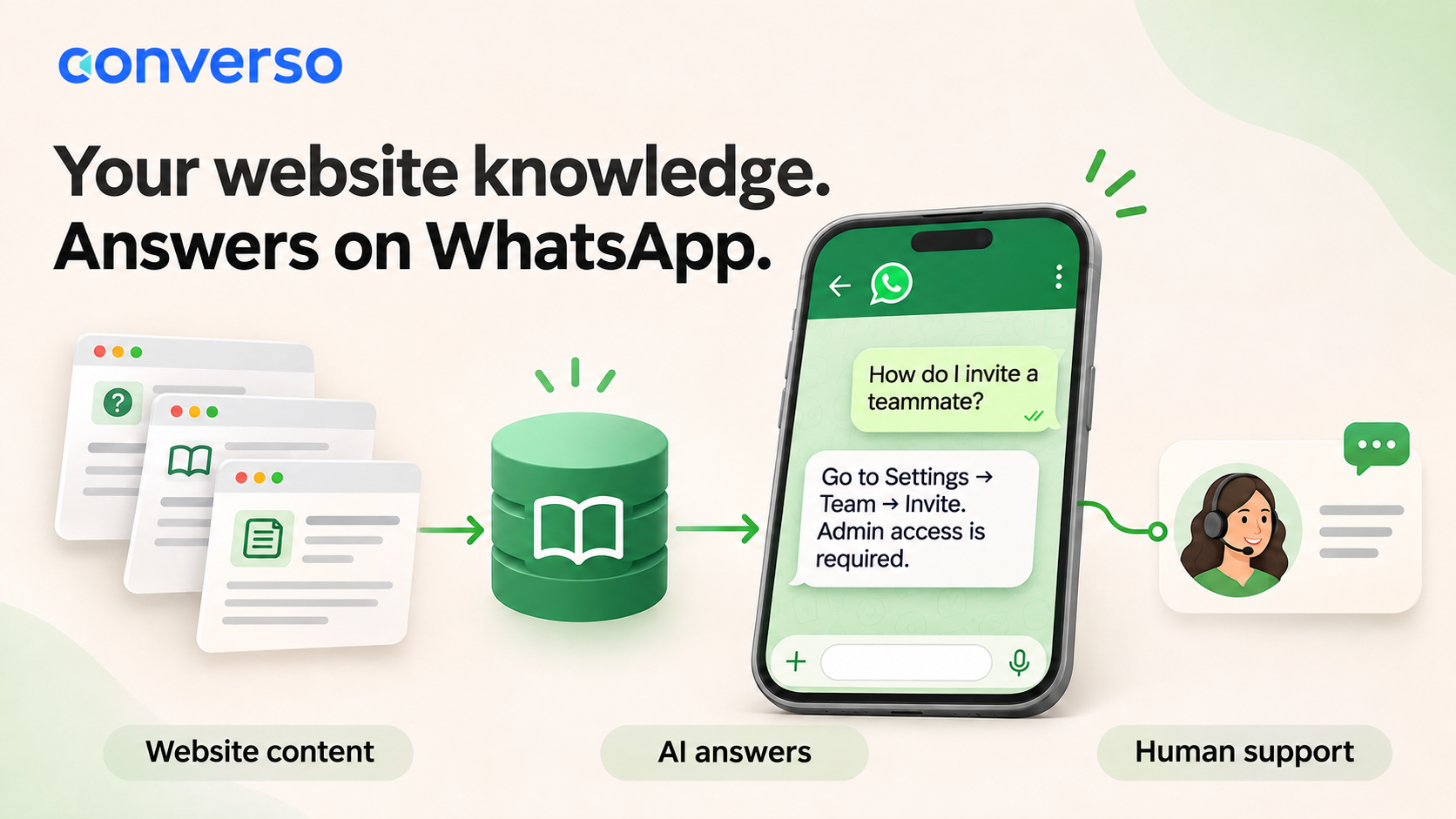
Converso keeps web chat and WhatsApp in one conversation context. When the AI unassigns itself, agents in the workspace receive a notification. The conversation appears in My Inbox after a human accepts ownership. If nobody accepts within 120 seconds, the widget collects the customer’s phone number and email for follow-up.[1]
- [ ] Verify access before testing. Check the AI’s knowledge scope, workspace permissions, and specialist membership so the right agents receive the handoff.
- [ ] Check ownership, acceptance, and reply control. Confirm that a qualified agent accepts ownership and that unassigning the AI stops its replies. Track routing accuracy, unassigned transfers, acceptance time, and AI replies after human takeover.
Check Handoff Quality and Readiness
Once routing is live, check whether handoffs preserve context, reach the right owner, and lead to fast resolution.
Support leadership and QA should review handoffs after any change to knowledge, triggers, or routing. Assign an owner to fix every failure. Changed workflows are ready only after regression tests pass.
Measure Handoff Results and Fix Failures
Track handoff quality by agent, topic, and channel.
| Metric | Definition | Data source | Review frequency | Corrective action |
|---|---|---|---|---|
| Escalation rate | Percentage of total conversations transferred to humans | Workspace analytics | Weekly | Update the knowledge base or refine escalation triggers in AI helpdesks |
| Acceptance time | Time between AI handoff and human takeover | Team inbox logs | Daily | Adjust staffing or notification settings |
| Missing context | Instances where customers must repeat information | Transcript audits | Monthly | Improve handoff summaries and transcript visibility |
| Resolution after takeover | Percentage of cases resolved by the first human owner without further routing | Case status | Monthly | Revise routing rules to reach the right specialist first |
| Post-handoff CSAT | Customer satisfaction score for conversations involving a handoff | Feedback surveys | Monthly | Review low scores for delays or frustrating loops |
Review Errors and Revise Escalation Rules
Compare AI-initiated handoffs with human transcript reviews to find false and missed escalations. Then update knowledge, escalation rules, or routing to address those errors. [1]
Retest every fix for missing context, no available agent, and unintended AI replies. Check that resolved cases close, resume with AI, or reroute as intended. In Converso, test the 120-second fallback form and confirm that collected contact details are saved in Contacts. [1][2]
Final Handoff Readiness Checklist
Use this checklist before rollout.
- [ ] AI stops at defined limits, and sensitive or high-stakes topics trigger escalation.
- [ ] The full transcript is visible before the human responds, so customers don’t have to repeat the issue.
- [ ] Every case has an owner and a backup.
- [ ] AI stops replying after human takeover.
- [ ] Outcomes are measured, and repeated failures have assigned fixes that pass regression tests.
FAQs
How do I choose an AI retry limit?
In Converso, you don’t need to set an AI retry limit manually. The platform automatically transfers a query to a human agent when it falls outside the AI’s knowledge or needs human judgment.
Rather than adjusting retry counts, focus on clear escalation boundaries and guidance notes in your workspace settings. These help the AI agent spot complex or sensitive requests and transfer them right away, keeping the conversation intact.
How do I handle escalations outside business hours?
Set up your AI agent with a clear, professional handoff message that matches your team’s actual availability.
If a human agent can’t pick up the conversation within 120 seconds of an escalation, Converso automatically displays a contact form. Customers can leave their phone number and email address. Those details are saved to your contacts so your team can follow up when they’re back in the office.
When should I return a case to AI?
Once a human team member resolves the issue that needed their help, return the case to the AI agent. The AI can handle follow-up questions within its scope, freeing human agents to focus on higher-priority tasks.
You can also close the chat after resolving the issue. Any new messages from that customer will automatically go to the AI agent, starting a new interaction.